
If you have ever attempted to create educational workbooks or coloring assets using AI, you know the frustration of opening a blank chat box and praying for usable results. Standard generative tools frequently turn brilliant ideas into distorted layouts, inconsistent characters, and multi-page collage disasters. In this deep comparison of Kids Printable Prompt Creator vs ChatGPT for 2026, I will evaluate whether this specialized system actually solves the printable workflow crisis or if standard prompting is still enough.
So, What Exactly Is Kids Printable Prompt Creator?
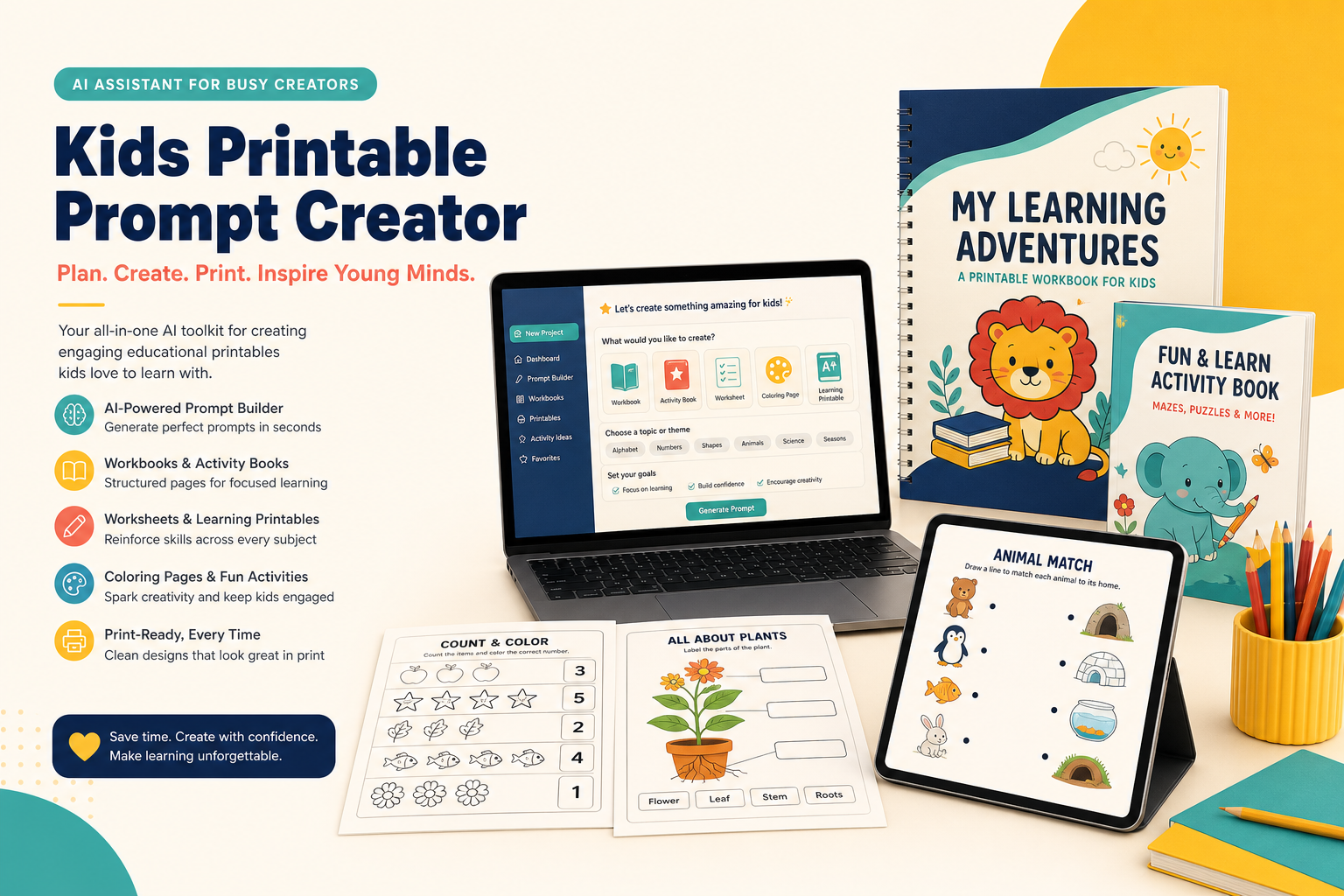
Kids Printable Prompt Creator is a specialized creative system designed to turn rough educational ideas into structured, print-ready, page-by-page printable workbooks without visual chaos.
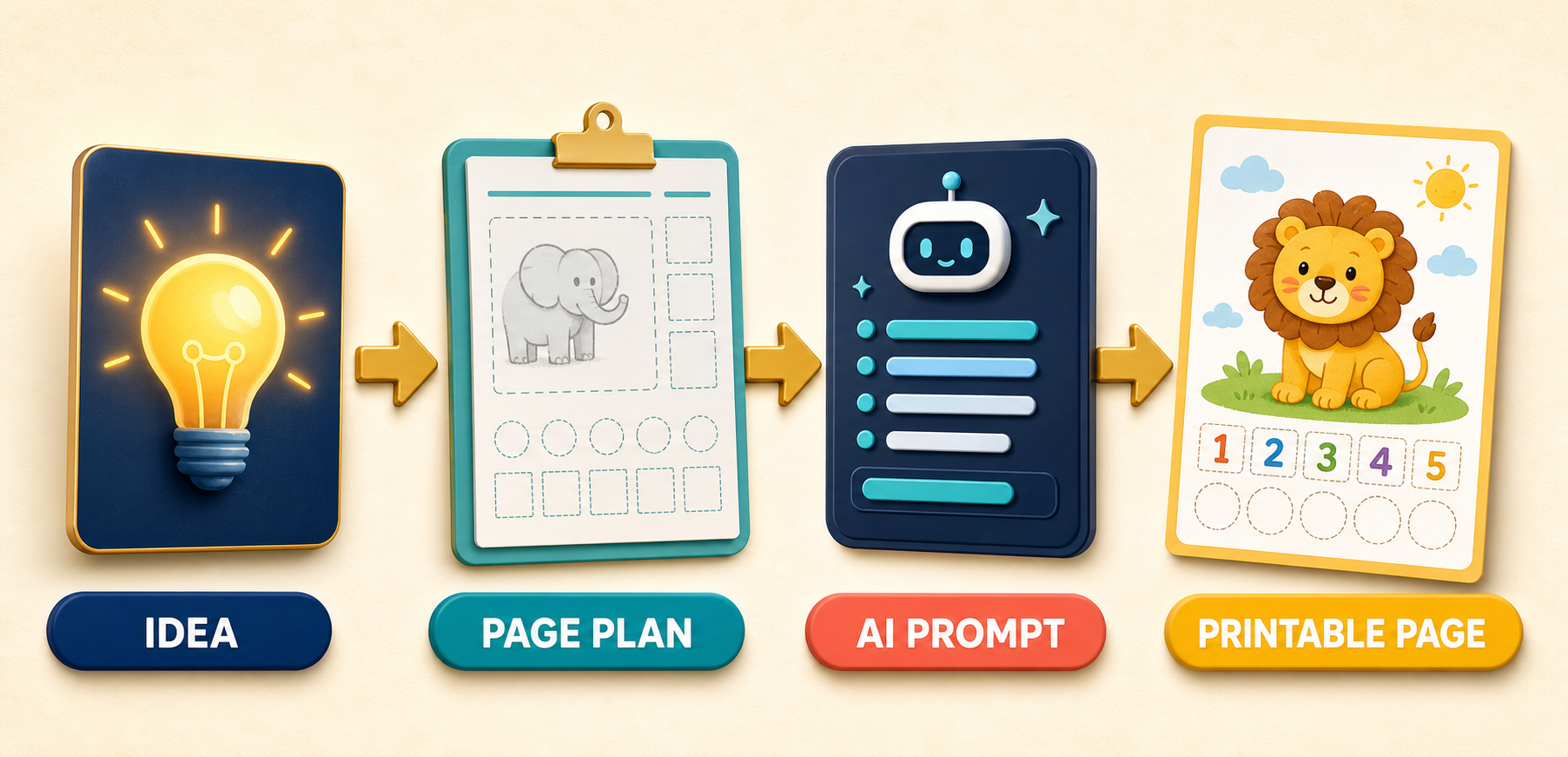
Step 1: You state your general topic, target age group, and desired page count into the guided prompt system.
Step 2: The system builds a complete, logical page plan that details specific learning objectives, activity types, and visual directions for every single page.
Step 3: It writes dedicated, individual image prompts tailored specifically for US Letter or A4 physical page layouts.
Step 4: You execute these controlled prompts in your preferred AI image generator to produce clean, perfectly aligned printables.
The first time I tested this system, I felt a wave of doubt because standard ChatGPT had burned through hours of my time with distorted output.
Within four minutes of following the step-by-step sequence, my skepticism turned into pure excitement as a complete 20-page alphabet workbook plan appeared with absolute visual consistency.
Kids Printable Prompt Creator Vs ChatGPT Comparison 2026: The Core Architectural Differences
To understand why most digital printable sellers struggle with AI, we must analyze the structural limitations of standard chat environments.
When you ask a general chatbot to design a kids printable, it approaches the task without spatial awareness or educational sequencing.
Standard ChatGPT is trained to deliver text responses or high-level image concepts rather than print-aware production briefs.
This fundamental disconnect creates four major technical failure points that ruin printable publishing projects.
1. The Multi-Page Collage Trap
If you prompt standard ChatGPT with “Make a 10-page alphabet activity book,” the underlying image model attempts to render all ten pages on a single canvas.
The result is almost always a grid of tiny, illegible thumbnail previews that are completely useless for printing.
Kids Printable Prompt Creator avoids this entirely by enforcing a strict one-prompt-per-page generation rule.
It isolates every single worksheet activity into a dedicated, high-resolution rendering pipeline.
2. Character Mutation & Visual Drift
When generating a 30-page workbook, maintaining mascot consistency is vital for customer trust.
Standard GPT prompts drift over time, turning a friendly brown bear mascot into a black bear on page three and a cartoon rabbit on page five.
The Kids Printable Prompt Creator system anchors character traits, line weight, and color palettes across the entire project brief.
This ensures your mascot looks uniform from the front cover to the final activity page.
3. Unprintable Layout Geometry
General AI image engines compose images like digital posters or artistic concept art.
They often fill the entire canvas with edge-to-edge detail, leaving zero margin for hole punching or binder trimming.
Worse, they frequently omit physical response spaces, leaving children with no room to trace letters or write numbers.
Kids Printable Prompt Creator bakes precise physical dimensions, safe bleed margins, and age-appropriate work zones into every single generated prompt.
4. Lack of Curriculum Progression
A random assortment of cute pages does not make a functional educational workbook.
Standard ChatGPT lacks built-in instructional logic, often placing advanced math equations right next to basic counting tasks.
The specialized prompt engine builds structured pedagogical roadmaps before generating art prompts.
It ensures activities move naturally from basic visual recognition to guided practice and independent mastery.
Prompt Output Quality: Standard GPT Prompting vs Specialized Printable Prompts
The best way to appreciate the difference between these two tools is to look at their actual raw prompt outputs.
Let’s compare a raw prompt created by standard ChatGPT against a structured prompt engineered by Kids Printable Prompt Creator.
Raw Standard ChatGPT Prompt Example:
“Create a cute dinosaur counting worksheet for 4-year-olds with numbers 1 to 5, black and white coloring style, clear text.”
Kids Printable Prompt Creator Output Example:
“Single portrait US Letter worksheet at 2550×3300 resolution, 300 DPI target. Clean white background with generous 0.75-inch safe print margins. Top header features bold, child-friendly title ‘Count The Dinosaurs’ with a small smiling T-Rex mascot in the top-right corner. Main activity section contains 5 distinct horizontal rows. Row 1 features 1 friendly cartoon stegosaurus next to a large open square answer box with thick black dashed borders. Rows 2 through 5 scale cleanly with 2, 3, 4, and 5 distinct dinosaur icons. Bold 3px black outlines, zero greyscale shading, maximum interior white space for coloring. Bottom section includes wide dotted writing lines for name and date. No extra text, no desk mockups, single-page print focus.”
The standard prompt leaves every crucial layout decision to random chance, resulting in crowded or overlapping art.
The specialized prompt defines exact spatial boundaries, border line weights, resolution targets, and target response areas.
For a broader look at the software’s stand-alone features, you can read in depth Kids Printable Prompt Creator review on our platform.
Kids Printable Prompt Creator vs ChatGPT Comparison Matrix
| Feature / Capability | Standard ChatGPT (Free/Plus) | Kids Printable Prompt Creator |
|---|---|---|
| Workflow Focus | General Conversational AI | Specialized Printable Production |
| Page Plan Blueprinting | Manual / Unstructured Lists | Automated Page-by-Page Curriculum |
| Output Format Discipline | Prone to Multi-Page Collages | Strict Single-Page Isolation |
| Print Dimension Targets | Generic Aspect Ratios | Exact US Letter & A4 Specifications |
| Character Consistency | High Visual Drift | Anchored Mascot Style Engine |
| Margin & Workspace Control | Random / Often Edge-to-Edge | Enforced Safe Margins & Work Zones |
| Multi-Tool Compatibility | Limited to Internal Engine | ChatGPT Image, Midjourney, Flux, Ideogram |
| Learning Curve | Requires Advanced Prompting | Zero Engineering Needed |
Kids Printable Prompt Creator vs Midjourney: How Do They Interact?
Many digital sellers wonder if this specialized tool serves as a kids printable prompt creator alternative to Midjourney.
It is crucial to clarify that Kids Printable Prompt Creator is not an image-generation engine itself, but a prompt-architecting OS.
It does not compete directly with Midjourney, Flux, or Leonardo AI; instead, it supercharges them.
Midjourney possesses extraordinary rendering power, but its default orientation leans toward artistic concept art rather than educational worksheets.
When you feed raw, simple requests into Midjourney, it routinely generates hyper-detailed art that wastes printer ink and confuses young children.
By pairing Kids Printable Prompt Creator with Midjourney v6, you gain the best of both worlds.
The prompt engine provides strict architectural parameters, while Midjourney executes flawless, crisp line art.
Key Features & Architectural Breakdown
Let’s examine the core modules that make this custom GPT framework so effective for commercial digital publishing.
1. The Guided Project Starter
When starting a new project, creators often waste energy debating page counts, difficulty levels, and target themes.
The Guided Project Starter prompts you with targeted questions to clarify your core product vision instantly.
You simply state: “I want an ocean-themed math activity pack for kindergarteners.”
The system automatically suggests ideal page counts, skill breakdowns, and recurring visual themes tailored specifically to that developmental stage.
2. The Page Plan Builder
Before writing a single image prompt, the system constructs a detailed curriculum outline.
Every page receives an assigned sequence number, page title, activity type, learning objective, content description, mascot direction, and difficulty rating.
This structural blueprint allows you to review the complete learning flow and fix progression errors before generating artwork.
You can easily spot accidental repetition, missing skills, or sudden spikes in difficulty.
3. The One-Page Prompt Generator
This component enforces strict single-page rendering instructions for every entry in your approved page plan.
It translates educational goals into explicit graphic design instructions that AI image engines can understand.
It specifies header positioning, instruction font styles, border weights, white space ratios, and response box placements.
This eliminates the generic floating objects and crowded layouts that plague standard AI generations.
4. Print-Aware Specifications
Digital files must translate perfectly to physical paper to satisfy customers and earn positive reviews.
The prompt engine automatically applies standard print ratios for both major global formats.
For US Letter projects, it configures prompts for 8.5 x 11 inches at 2550 x 3300 pixels at 300 DPI targets.
For international A4 projects, it adjusts proportions to 8.27 x 11.69 inches at 2481 x 3507 pixels at 300 DPI targets.
If you want to evaluate user feedback and real-world testing data, feel free to see Kids Printable Prompt Creator honest review on our site.
5. Reusable Consistency System
Maintaining brand coherence across a 30-page workbook series requires strict visual rules.
The consistency system creates a persistent visual anchor for your project’s main characters, color schemes, and line art styles.
Whether you are creating a “Cute Farm Animal Addition” book or a “Space Phonics” pack, it keeps character proportions stable.
It repeats essential style tokens in every prompt, drastically reducing character morphing across generations.
Real-World Testing Results & Workflow Benchmarks
To provide an objective evaluation, I conducted a side-by-side speed and quality test creating a 20-page “Woodland Animal Counting Workbook.”
I tracked total production time, revision iterations required, and mascot consistency across both workflows.
Standard ChatGPT Workflow Test:
I initiated the test using raw prompts in standard ChatGPT with Dall-E 3 rendering.
Generating a loose curriculum structure took approximately six minutes of manual chatting.
When generating images, seven of the twenty prompts yielded multi-page grid collages that had to be thrown away entirely.
Five generated pages featured cramped, unprintable margins where text overlapped the edges.
The fox mascot changed from a cute cartoon fox into a realistic wild fox by page nine.
Total time spent testing, discarding bad images, and re-prompting was 3 hours and 15 minutes.
Kids Printable Prompt Creator Workflow Test:
Next, I tested the exact same 20-page Woodland concept inside Kids Printable Prompt Creator.
Generating the complete, structured page plan took less than two minutes.
Executing the individual page prompts took approximately 25 minutes total across ChatGPT Image and Midjourney.
Zero prompts resulted in collage grids, and every page featured generous 0.75-inch safe margins for physical printing.
The fox mascot maintained consistent features, line weight, and proportions across all twenty activity pages.
Total project completion time was just 38 minutes, representing an 80% decrease in total production time.
Is Kids Printable Prompt Creator A Scam or A Legit Tool?
When evaluating digital product launches on WarriorPlus, exercising healthy caution is essential.
Many shiny products make wild promises about “one-click instant passive income” without providing real value.
Let’s address the legitimacy of Kids Printable Prompt Creator directly and realistically.
This software is not a magic button that automatically uploads finished PDF books to Etsy while you sleep.
It does not replace human quality control, nor does it guarantee sales on third-party marketplaces.
You must still inspect every generated page, verify counting accuracy, check spelling, and assemble your final PDF files.
However, as a specialized workflow utility, Kids Printable Prompt Creator is 100% legitimate and highly effective.
It acts as a structured creative partner that eliminates the technical friction of AI prompt engineering.
It delivers real value by replacing random guessing with a dependable, repeatable production blueprint.
Who Should Buy It vs Who Should Skip It?
To help you decide if this tool matches your goals, consider the following target user profiles.
Who Should Buy It Immediately:
- Etsy & Gumroad Printable Sellers: Creators who want to expand their digital shops quickly with coherent, high-quality workbooks and activity packs.
- Teachers & Educators: Classroom instructors needing custom, skill-focused worksheets tailored to specific lesson plans without spending hours in Canva.
- Homeschool Parents: Parents looking to turn their children’s special interests into engaging, customized learning materials.
- Self-Publishers: Authors building low-content or medium-content activity books for Amazon KDP who need consistent line art and clear page structures.
Who Should Skip It:
- Casual AI Hobbyists: Individuals who enjoy experimenting with unstructured text prompts and do not care about print usability or character consistency.
- “One-Click” Wealth Seekers: Anyone expecting a tool that automatically publishes products and generates passive income with zero effort or human verification.
- Pure Text-Only Creators: Writers focused solely on text-heavy novels or business reports, as this system is specialized for visual educational printables.
10 Profitable Printable Niches You Can Start Today
Having a structured system allows you to build targeted products across dozens of high-demand niches.
Here are ten specific educational categories you can plan and execute using this prompt engine:
- Early Math & Number Recognition: Counting practice, number lines, beginner addition, and shape identification workbooks.
- Alphabet & Phonics Mastery: Letter tracing sheets, initial sound matching, and sight word recognition packs.
- Fine Motor Skill Builders: Line tracing paths, pre-writing curves, mazes, and toddler scissor skill practice pages.
- Early Science Diagrams: Plant lifecycle workbooks, ocean habitat matching, and simple space exploration activity packs.
- Themed Coloring Adventures: Dinosaur coloring books, fairytale scenes, and vehicle activity collections with uniform outlines.
- Social-Emotional Learning: Emotion identification worksheets, daily mood trackers, and social scenario reflection pages.
- Holiday & Seasonal Activity Packs: Winter puzzle books, Halloween mazes, and summer vacation learning review bundles.
- Language & Vocabulary Practice: Picture-to-word matching worksheets, category sorting games, and beginner spelling grids.
- Visual Puzzles & Brain Teasers: “Find the difference” pages, shadow matching puzzles, and simple grid drawing exercises.
- Personalized Interest Bundles: Custom learning units created around niche interests like construction vehicles, ocean creatures, or mythical dragons.
Pricing, Discount Codes & Guarantee
During the current launch window, Kids Printable Prompt Creator is available for a single one-time payment of just $17.00.
There are no recurring monthly subscription fees or hidden maintenance costs associated with the core engine.
By purchasing through the exclusive links on this page, our special reader discount is applied automatically at checkout.
The offer is backed by a full 30-day money-back guarantee hosted on the WarriorPlus platform.
If you test the tool and feel it doesn’t streamline your printable workflow, you can request a 100% refund without hassle.
Frequently Asked Questions
Does Kids Printable Prompt Creator directly render the finished image files?
No, it acts as the creative brain and prompt architect.
It generates highly structured, print-aware prompts that you paste into ChatGPT Image, Midjourney, Flux, Ideogram, or Leonardo AI.
Why does the tool create prompts one page at a time instead of all at once?
AI image models cannot reliably generate multi-page books in a single image canvas.
Requesting multiple pages at once produces unprintable collage grids, whereas single-page prompting yields high-resolution, print-ready results.
Do I need advanced prompt engineering skills to use this tool?
Not at all.
You simply type plain-English sentences describing your topic and target age group, and the system converts your inputs into structured, professional prompts.
Can I use the prompts generated by this system to create commercial products for Etsy?
Yes, you hold full commercial usage rights to the prompts and structured page blueprints you create.
Does it support international print dimensions like A4?
Yes, the system allows you to toggle between US Letter (8.5 x 11 inches) and A4 (8.27 x 11.69 inches) ratio specifications instantly.
Final Verdict: Which Tool Wins in 2026?
Standard ChatGPT is an incredible general utility for brainstorming text and answering everyday questions.
However, when it comes to publishing professional, print-ready kids printables, raw prompting leads to wasted time and broken layouts.
Kids Printable Prompt Creator bridges the gap between chaotic AI image generation and disciplined educational publishing.
It eliminates multi-page collages, preserves mascot consistency, and enforces print-aware layout geometry across every page.
For any creator serious about building a digital printable store or classroom resources, this specialized engine is a game-changer.
It earns my highest recommendation as an essential workflow upgrade for 2026.
If you have any questions about this review or workflow setup, feel free to reach out to me directly at admin@uprightreview.com.