
Imagine turning one 45-minute podcast or YouTube video into a full week of captioned Reels, Shorts, and LinkedIn posts before your coffee even gets cold.
Now compare that to staring at a messy timeline at 11:30 PM, scrubbing back and forth to hunt for one halfway decent 30-second hook while your eyes burn.
I used to live in that second scenario every single week.
Worse yet, I was bleeding money across three disconnected apps—one to cut clips, another to make captions look halfway modern, and a third just to schedule posts across Instagram, TikTok, and YouTube.
And if you have ever paid for a shiny new AI tool only to watch it spit out awkward, unusable mid-sentence cuts, you know how frustrating it feels to waste both your budget and your Sunday afternoon.
That is exactly why I put together this brutally honest Quso AI Review after running real long-form footage through the platform myself.
I wanted to see if the tool formerly known as Vidyo.ai actually lives up to its promise as an all-in-one content engine—or if it is just another overpriced wrapper.
Spoiler alert: after testing its clipping, captions, and scheduler end-to-end, I cancelled two other subscriptions the very same week.
Short answer: Yes, Quso AI is worth it—especially if you want AI clipping, captions, and multi-platform scheduling under one roof.
Pricing & Free Access: Ongoing Free plan ($0/month, 75 credits, no card required); paid plans start at $29/month (or $174/year during the Black Friday 50% off deal).
Best For: Podcasters, creators, coaches, and social media managers repurposing long videos into daily short-form content.
Safety Net & Key Strength: Automatic credit refunds on failed imports, cancel anytime, and true clip-to-schedule automation in one dashboard. Try Quso AI free here →
Disclosure: This page contains a partner link. If you sign up through it, we may earn a commission at no extra cost to you, and it never changes my honest opinion.
Ready to turn one long video into ready-to-post clips in minutes? Start right here ↓
Start on the Free plan with 75 monthly credits. No credit card required.
Overview: What Exactly is Quso AI?
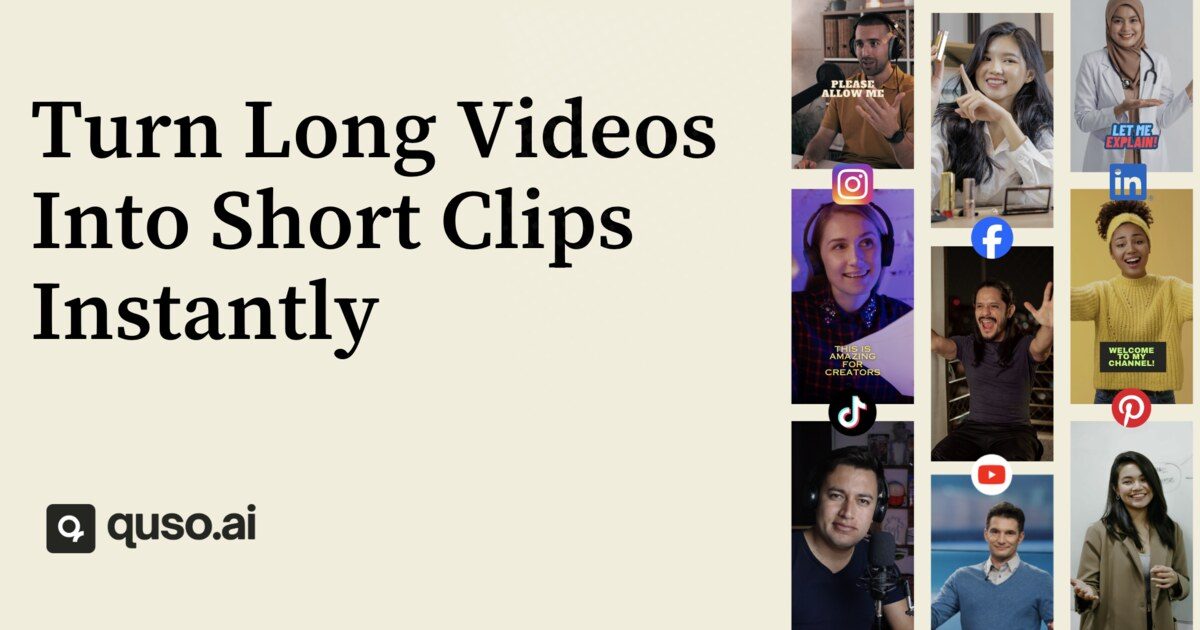
If the interface looks weirdly familiar, you are not losing your mind—Quso AI used to be called Vidyo.ai before rebranding in January 2025.
Back in its Vidyo days, it was one of the earliest AI video clippers on the market, and it got famous fast for slicing long YouTube videos into vertical shorts.
Today, the platform has grown into a full social media content suite that handles everything from raw footage upload to final post scheduling.
According to Quso AI’s own homepage, over 4 million creators and teams now use the platform to multiply their content output without hiring a full production crew.
You drop in a video file (MP4, MKV, MOV, or WebM) or paste a link from YouTube, Vimeo, or X, and the AI goes to work scanning for high-retention hooks.
Within minutes, it hands you scored short clips, auto-reframed aspect ratios, animated word-level captions, and even written social posts ready to queue across your channels.
How Quso AI Turns One Recording Into an Entire Week of Content
- IntelliClips & AI Virality Score → Instead of scrubbing an hour-long interview, you immediately see the punchiest moments ranked by viral potential so you only polish winners.
- Word-Level AI Captions in 99 Languages → Your viewers scroll with their sound off, and Quso AI drops dynamic, animated subtitles (with translation into 20+ languages) that stop the thumb automatically.
- CutMagic Auto-Reframing → Multi-camera podcasts stay centered on whoever is speaking across 9 scene layouts, saving you hours of manual keyframing.
- AI Filler Word & Silence Removal → Awkward “ums,” “ahs,” and dead pauses vanish in one click, making you sound sharper and keeping viewer retention high.
- 7-Platform Social Scheduler & Content Planner → You publish and schedule straight to TikTok, Instagram, YouTube, LinkedIn, Facebook, X, and Pinterest without paying for Buffer or Hootsuite.
- Viddy AI Content Assistant → One click turns your video transcript into LinkedIn posts, show notes, newsletters, and SEO descriptions so your written channels never go dark.
Quso AI Pricing: How Much Does It Really Cost?
Let’s talk money, because pricing is where a lot of AI video tools quietly sneak in hidden fees or confusing math.
Quso AI keeps things straightforward with a credit system: 1 credit equals 1 minute of imported video, rounded up to the next whole minute.
Upload a 25-minute-and-40-second podcast episode, and it deducts 26 credits once at import.
After that, editing your clips, tweaking captions, downloading exports, and scheduling posts cost zero extra credits.
That is a massive relief compared to tools that nickel-and-dime you every time you re-render a typo.
Right now, Quso AI offers four main tiers: Free, Lite, Essential, and Growth.
Even better, Quso AI is currently running a verified Black Friday promotion offering 50% off new yearly plans—and you keep that 50% discount at every renewal while subscribed—ending December 1, 2026 at 11:59 PM IST.
What You Actually Pay vs. What You Replace
To put Quso AI’s cost in perspective, hiring a freelance video editor on Fiverr or Upwork easily runs $15 to $40 for a single short clip.
Even if you edit yourself, stitching together a standalone AI clipper, a caption app, and a social media scheduler usually sets you back $65 to $110 every single month.
With Quso AI’s Essential plan at $39/month—or just $234/year ($19.50/month) on the Black Friday yearly rate—your cost drops to roughly $0.065 to $0.13 per minute of source video.
And if you ever burn through your monthly allowance, you can grab add-on credits for around $0.15 each (depending on region), and those top-up credits never expire.
| Plan | Monthly Price | Annual Price (Standard / Black Friday) | Credits & Key Limits | Best For |
|---|---|---|---|---|
| Free | $0/month | $0/year | 75 credits/mo, 720p with watermark, 5 GB storage, 7-day retention, TikTok publishing (25 posts/mo), CutMagic on first 3 videos | Testing the AI workflow with zero risk |
| Lite | $29/month | $348/yr (BF: $174/yr) | 100 credits/mo, 1080p no watermark, 10 GB storage, Desktop Editor, CutMagic, Virality Score, TikTok only (25 posts/mo) | Solo TikTok creators testing light volume |
| Essential My Pick | $39/month | $468/yr (BF: $234/yr) | 300 credits/mo, 1080p no watermark, 25 GB storage, schedule to 7 platforms (50 posts/mo), AI filler & silence removal, Content Planner | Creators & podcasters posting everywhere |
| Growth (Most Popular) | $49/month | $588/yr (BF: $294/yr) | 600 credits/mo, 75 GB storage, 100 scheduled posts/mo, Custom Brand Kit, Viddy AI assistant, social analytics, priority support | Agencies, teams & high-volume brands |
Notice why I marked Essential as My Pick for most solo creators and small businesses.
For just $10 more per month than Lite, you triple your monthly credits from 100 to 300, unlock AI silence removal, and gain full scheduling across all 7 social platforms.
And if you manage clients or want your custom fonts, logos, and Viddy AI writer firing on all cylinders, Growth at $49/month (or $294/year right now) is a complete steal.
Lock in the plan that matches your monthly upload volume before the Black Friday discount ends ↓
Black Friday 50% off yearly plans ends Dec 1, 2026. Or test free first with zero commitment.
The Strengths: What Makes Quso AI Outstanding
When I sat down to run my hands-on test for this review, I did not feed Quso AI an easy 3-minute talking-head clip.
I dropped in a messy, 48-minute two-person YouTube interview packed with tangents, laughter, crosstalk, and long pauses.
I half-expected to spend my afternoon fixing broken framing and garbled captions.
Instead, Quso AI chewed through the entire 48-minute file while I answered four emails, and handed me a dozen vertical clips ranked with Virality Scores from top to bottom.
CutMagic caught every camera switch between me and my guest automatically, keeping whoever was talking dead-center in a crisp 9:16 vertical frame.
Even better, hitting the filler-word and silence removal toggle shaved out 18 awkward pauses across three clips in seconds, giving them that tight, punchy YouTube Shorts pacing people actually watch to the end.
What My Hands-On Quso AI Review Test Revealed About Speed and Polish
The biggest surprise was not the clipping itself—it was never having to export files to my desktop just to schedule them.
I picked my top five clips, applied my Brand Kit colors and font, asked Viddy AI to draft tailored LinkedIn and Instagram descriptions, and scheduled the whole week onto the Content Planner in under 20 minutes.
I am clearly not the only one who values that speed, either.
Back when it launched as Vidyo.ai, the team earned Top Post of the Week on Product Hunt, where the community currently rates quso.ai at 4.3 out of 5 across 11 reviews for saving hours on resizing and captioning.
Users on G2 also highlight how smoothly it turns long 16:9 videos into ready-to-publish shorts without touching complex desktop software.
| Strength | What It Means for You |
|---|---|
| IntelliClips & Virality Predictor | You skip watching hours of your own footage and jump straight to the hooks most likely to earn views. |
| CutMagic Scene & Speaker Framing | Interviews and multi-cam podcasts auto-switch across 9 layouts so no speaker ever gets awkwardly cropped out. |
| Word-Level Animated Captions (99 Languages) | Your clips look native to TikTok and Reels right out of the box, boosting silent-scroll watch time. |
| AI Filler & Silence Removal | Dead air and verbal stumbles disappear automatically, turning rambley takes into tight, confident clips. |
| Built-In 7-Platform Scheduler & Planner | You eliminate separate scheduling bills and publish to TikTok, IG, YouTube, LinkedIn, FB, X, and Pinterest from one calendar. |
| Viddy AI Assistant & Custom Brand Kit | Every clip stays on-brand with your logos and fonts while Viddy writes your posts, show notes, and blogs for you. |
The Weaknesses: Where Quso AI Falls Short
No software is magic, and if someone tells you an AI tool has zero flaws, they are trying to sell you a bridge.
To keep this review completely fair, here are the four real limitations I bumped into while testing Quso AI.
- The Free plan exports at 720p with a watermark: You cannot publish Free-tier exports cleanly to a professional brand channel without the Quso AI logo showing up. Why it is not a deal-breaker: The Free tier gives you 75 full minutes every month to test clip accuracy and workflow speed before spending a penny, and upgrading removes the watermark at 1080p immediately.
- Unused monthly credits do not roll over: If you pay for 300 credits on Essential and only upload 180 minutes of video this month, those leftover 120 credits vanish at billing reset. Why it is not a deal-breaker: You can match your plan to your real monthly output or lean on $0.15 add-on credits, which never expire.
- AI clips and captions still benefit from a 2-minute human pass: On dense industry jargon or unusual proper names, a subtitle word can occasionally misspell, and one or two AI-picked cuts might end half a second too early. Why it is not a deal-breaker: Fixing a word or nudging a trim handle in the text-based editor takes 30 seconds compared to spending four hours editing from scratch.
- Video-only uploads (MP4, MKV, MOV, WebM): If you run an audio-only podcast and try dropping an MP3 straight into the importer, it will not accept raw audio files. Why it is not a deal-breaker: Most podcasters record video today anyway, and wrapping an MP3 over a static cover image into an MP4 takes seconds.
Skip Quso AI if…
- You are a Hollywood film editor who needs frame-by-frame multi-track VFX compositing, color grading wheels, and custom After Effects motion rigs.
- You expect 100% zero-review automation where you never even glance at a subtitle or trim point before hitting publish.
- You only want raw bulk clipping minutes at rock-bottom cost and have zero interest in using a built-in social scheduler, planner, or AI writer.
Who is Quso AI Perfect For?
Quso AI shines brightest for people who already create—or talk on camera—and are tired of watching their best ideas collect dust inside an hour-long recording.
Because it combines clipping, captioning, branding, and cross-platform publishing in one browser tab, it replaces an entire patchwork of subscriptions.
This is you if…
- You are a Podcaster or Video Interviewer who wants CutMagic to track multiple speakers automatically and spit out a month of Reels and Shorts from every episode.
- You are a Coach, Consultant, or Course Creator sitting on dozens of Zoom trainings, webinars, and masterclasses that could be bringing in daily organic leads on LinkedIn, Instagram, and YouTube.
- You are a Solo Content Creator or YouTuber who hates spending Friday nights resizing 16:9 videos into 9:16 clips and manually typing out animated captions.
- You are a Social Media Manager or Small Agency juggling client calendars who wants Brand Kits, multi-platform scheduling, analytics, and Viddy AI post drafting in a single workspace.
- You are a Small Business Owner trying to stay visible on seven social networks without hiring a $2,000/month freelance video editor.
Guarantees, Policies, and Customer Support
Before you enter a card number into any SaaS checkout, you deserve to know exactly what happens if things go sideways.
I dug straight into Quso AI’s official Terms of Service and Help Center so there are zero surprises.
First, all paid subscriptions are processed securely through Paddle, Quso AI’s payment provider and Merchant of Record, which handles checkout security, VAT/GST taxes, and downloadable invoices.
Second, let’s be 100% transparent about refunds: Quso AI does not offer a blanket 30-day money-back guarantee, and both monthly and annual subscription payments are listed as non-refundable in their terms (except where mandatory local consumer laws require otherwise).
That is why I strongly recommend using two smart built-in safety nets.
First, start on the Free plan with 75 monthly credits and zero credit card required to prove the clip quality on your own footage before upgrading.
Second, if a video fails to process on a paid plan, Quso AI automatically refunds those credits back to your balance—and if you are unhappy with an output, emailing help@quso.ai lets their team review and reimburse your credits.
Cancelling is refreshingly painless too: open Settings → Billing & Plans, click Cancel Plan, and your access stays active through the end of your current cycle with zero surprise renewals.
Quick Answers to Your Biggest Pre-Buy Questions
What happens if Quso AI fails to process my video or messes up an import?
Credits spent on any video that fails to process are refunded automatically to your balance, and you can email help@quso.ai for manual credit reimbursement if an output disappoints you.
How good are the AI captions and video clips out of the box?
In my testing, word-level timing and scene framing were about 90% to 95% ready straight away across 99 supported caption languages, needing only a quick 1-minute check for names or niche terms.
Is there a steep learning curve or slow export wait time?
Not at all—if you can paste a YouTube link or drag in an MP4, you can generate scored 1080p clips in minutes without learning complex editing timelines.
Can I cancel my subscription anytime without jumping through hoops?
Yes, you can cancel anytime directly inside Settings → Billing & Plans, and you keep full access until the end of your paid month or year.
Put your long-form videos to work today—grab your Quso AI account below ↓
Backed by Paddle secure checkout, automatic failed-import credit refunds, and a free starter tier.
Final Verdict: Why I Highly Recommend Quso AI
After putting every major button through its paces for this Quso AI Review, my recommendation is simple and unequivocal: go sign up and put this tool into your content workflow today.
Yes, monthly credits expire if unused, and yes, you will still want to spend 60 seconds glancing over captions before hitting schedule.
Those tiny trade-offs pale next to the sheer hours, mental bandwidth, and wasted subscription cash Quso AI puts back in your pocket every single month.
- True all-in-one consolidation: Replace separate clipping, captioning, writing, and 7-platform scheduling tools with one clean dashboard.
- Serious time savings from day one: Turn one 45-minute recording into scored, auto-framed, filler-free 1080p shorts in minutes instead of late nights.
- Zero-risk starting point: Test 75 monthly credits on the Free plan with no credit card, or lock in Essential/Growth at massive value.
Think about what waiting another month actually costs you right now.
Every week you put off automating your short-form clips is another four to six hours lost to manual timeline scrubbing, another batch of long videos sitting unseen, and another billing cycle paying for multiple disconnected tools.
Plus, if you decide to go yearly after testing, Quso AI’s verified Black Friday offer—50% off new yearly plans locked in at every renewal (bringing Essential down to $234/year and Growth down to $294/year)—ends December 1, 2026 at 11:59 PM IST.
Do yourself a favor: click here to launch your Quso AI account today, drop in one long video you already recorded, and watch how fast your next week of content builds itself.
Disclosure: this page contains a partner link. If you sign up through it, we may earn a commission at no extra cost to you. It never changes my honest opinion.