
The self-publishing landscape is changing faster than ever, and digital creators on platforms like Amazon KDP and Etsy face a steep uphill battle when trying to balance writing quality with visual artistic consistency. Storybook Studio enters the market promising to convert single-word ideas into fully rendered, published-ready storybooks. In this comprehensive evaluation, I break down whether this platform delivers genuine commercial value or falls short of high-end publishing standards.
So, What Exactly Is Storybook Studio?
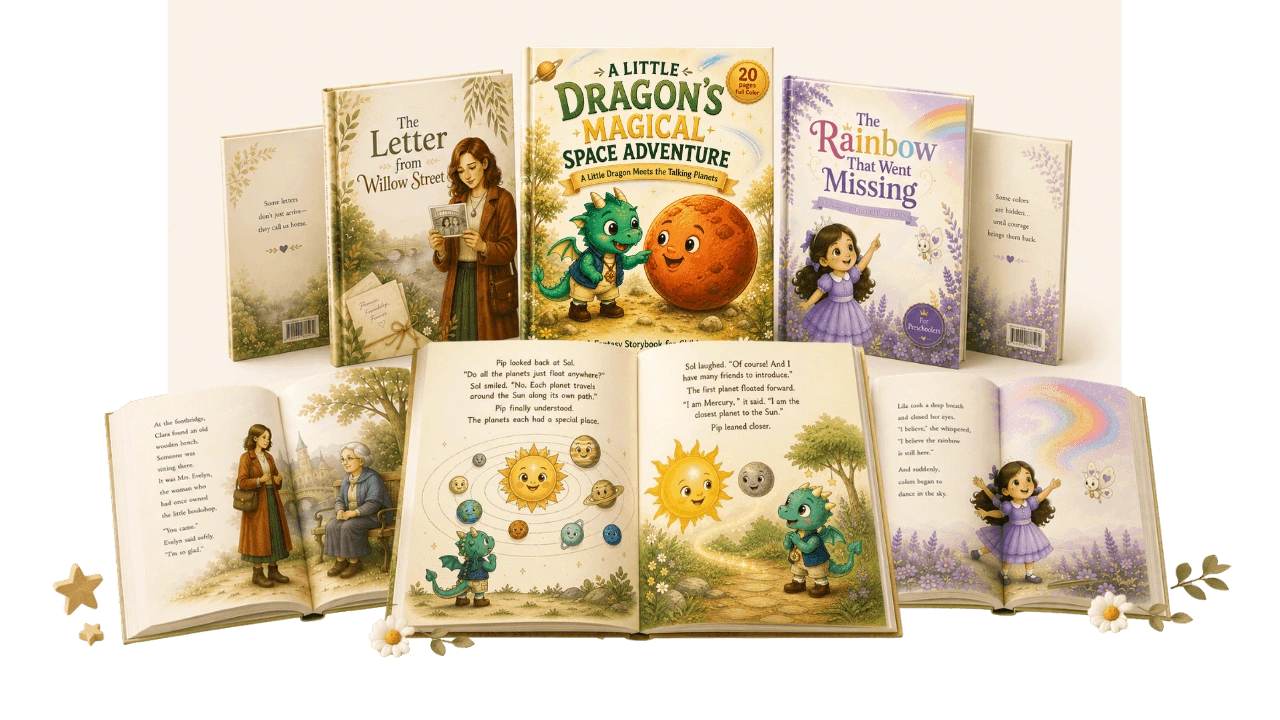
Storybook Studio is a structured AI creation framework designed to turn basic concepts into completed illustrated books with professional covers.
Step 1: Input a simple prompt or title idea into the narrative generator to construct a full story outline, character bible, and manuscript.
Step 2: Transfer your text into the layout pipeline to generate scene-by-scene page prompts with consistent visual characters.
Step 3: Export your finished pages into the cover generation suite to automatically construct matching front and back covers.
The end result is a print-ready digital book asset built for instant publishing.
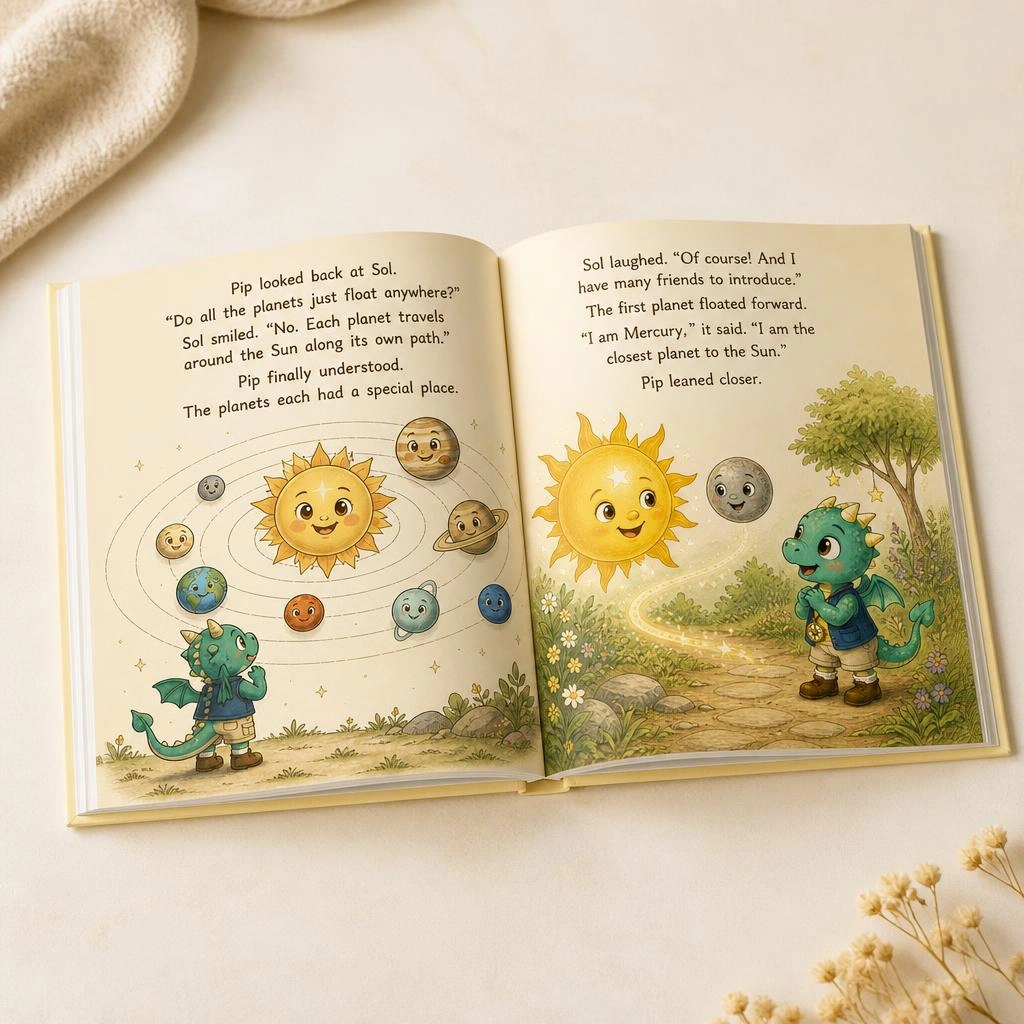
When I first loaded the framework and tested it with a simple prompt about a little dragon meeting talking planets, I felt genuine hesitation about whether the visual character details would hold up.
To my total surprise, watching six consecutive pages match character traits without manual Photoshop corrections was a massive relief.
Storybook Studio Review 2026 Complete Analysis and Features
Evaluating digital creation tools requires cutting through marketing noise to examine actual operational performance.
Publishing on platforms like Amazon KDP or Etsy requires more than just decent writing.
It demands strict formatting, character visual continuity, clear scene pacing, and cohesive front-to-back cover design.
Storybook Studio approaches this complex production line not as a single unpredictable text box, but as a multi-stage modular pipeline.
Most basic AI tools fail because they try to generate an entire book in one single prompt pass.
That brute-force approach almost always results in erratic character designs, broken storylines, and visual artifacts.
Storybook Studio splits the workload across four distinct creation modules.
This systematic architecture allows creators to maintain fine-grained control over every phase of production.
Core Architecture & How Module Workflow Functions
To understand why this software stands out, I analyzed how its core architecture processes narrative data.
The system does not force you to invent complex character profiles or write thousands of words of manuscript manually.
Instead, it acts as an intelligent intermediary that formats prompts specifically optimized for image engines like ChatGPT and Leonardo AI.
Module #1: Create Story (Narrative & Character Bible Engine)
The creation engine starts inside Module #1.
Here, you provide a basic sentence prompt like “A tiny mouse who wants to sail across the ocean in a teacup.”
Module #1 immediately processes that core prompt into four structured assets:
First, it drafts a complete story synopsis with proper narrative arcs and pacing.
Second, it constructs a precise Character Bible.
This Character Bible locks down physical traits like fur color, clothing, eye shape, and proportions.
Third, it outputs a page-by-page text layout break down.
Fourth, it sets optimal target word counts based on your selected target reader age group.
Module #2: Create Storybook (Visual Page Builder)
Once your text outline is complete, you move into Module #2.
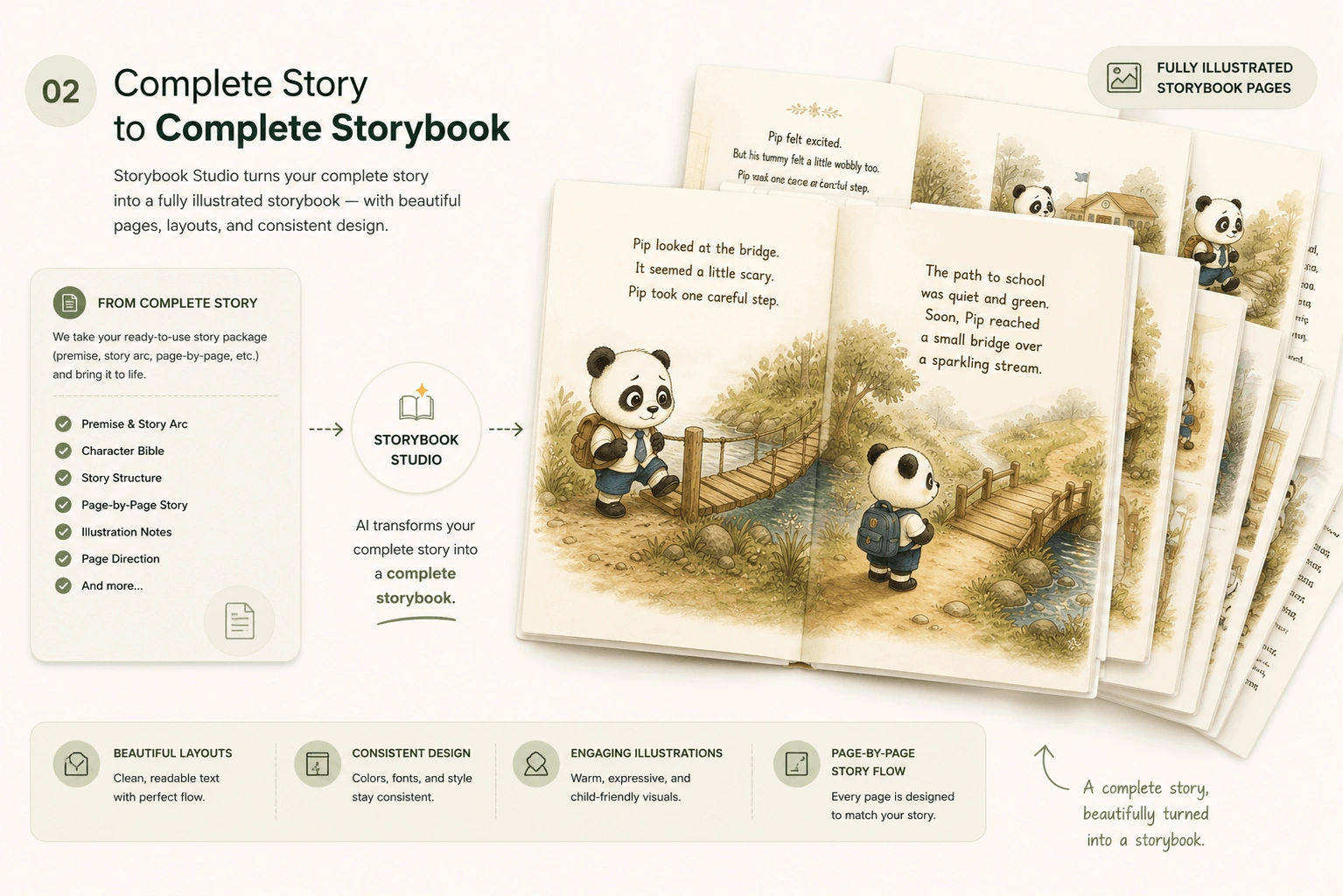
This step turns individual manuscript lines into visual image prompts.
Instead of manually writing image descriptions for every page, you simply copy and paste your text into Module #2.
The engine generates locked character tags and background prompts automatically.
This ensures that the tiny mouse on page 1 looks identical to the tiny mouse on page 12.
Module #3: Create Cover (Front & Back Layout Suite)
A manuscript without a strong cover will fail on marketplace algorithms every single time.
Module #3 takes any existing illustrated page and converts it into a formatted front and back cover spread.
It reserves correct typography framing spaces for title placement, subtitle tags, author names, and back cover synopses.
It also accounts for standard barcode positioning necessary for Amazon KDP print uploads.
Module #4 (Bonus): Render Illustration (20 Visual Styles)
One of the strongest additions in the package is the special rendering module.
This bonus module supplies 20 visual prompt modifiers that dramatically change artistic presentation.
You can switch an entire project from classic soft watercolor into textured papercut art, 3D character animation styles, or hand-drawn pencil sketches.
This capability allows creators to republish similar story frameworks under completely different visual branding styles.
Compatible AI Platforms & Prompt Execution Dynamics
A common concern among buyers is whether they need expensive recurring software subscriptions to run this framework.
I verified that Storybook Studio is vendor-agnostic.
It has been officially pre-tested for optimal output using ChatGPT (GPT-4 / DALL-E 3 integration) and Leonardo AI (GPT Image 2 model).
However, the underlying prompt logic works across Midjourney, Adobe Firefly, and Stable Diffusion as well.
| Platform Name | Tested Status | Key Strengths & Rendering Performance |
|---|---|---|
| ChatGPT (GPT-4 / DALL-E) | Fully Tested | Excellent story logic, rapid text-to-layout conversion, seamless dialogue generation. |
| Leonardo AI (GPT Image 2) | Fully Tested | Exceptional character consistency, high-resolution textures, precise lighting control. |
| Midjourney v6 | Compatible | Ultra-realistic artistic depth, artistic fine control, premium fantasy landscape renders. |
| Adobe Firefly | Compatible | Clean commercial safety profiles, crisp line art rendering, direct layout editing. |
Because the prompt structure is standardized, you do not need coding knowledge or advanced prompting skills.
You simply follow the provided copying guidelines to achieve predictable visual results.
Market Opportunities: KDP Publishing, Etsy Digital Products, and Printables
Creating books purely for fun is fine, but most creators are looking for scalable online business models.
Storybook Studio directly addresses four high-margin commercial avenues:
1. Amazon KDP Self-Publishing: Children’s picture books and early reader adventure books generate consistent passive royalties on Amazon.
With structured 24-page layouts, publishers can quickly build themed collections across popular sub-niches like bedtime stories, animal adventures, or educational values.
2. Etsy Digital Downloads: Printable PDF storybooks and personalized children’s memory books are rapidly growing product categories on Etsy.
Sellers can offer instant digital downloads or customized printable bundles with minimal overhead cost.
3. Classroom & Educational Resources: Teachers and homeschool educators frequently seek custom illustrated stories for targeted learning lessons.
This tool allows creators to publish specialized reading comprehension materials quickly.
4. Client Freelance Commissions: Freelancers offering custom storybook illustration services can utilize this framework to accelerate delivery times while maintaining high creative quality.
Hands-On Experience: Testing Output Quality, Layout Consistency, and Real Output
I put Storybook Studio through a rigorous real-world test to assess how well it performs under real production constraints.
I chose a complex narrative concept: a young fantasy adventure involving a fox who learns astronomy.
I copied the prompt structures into ChatGPT paired with Leonardo AI for image generation.
The manuscript generation took less than three minutes to assemble eight distinct scenes.
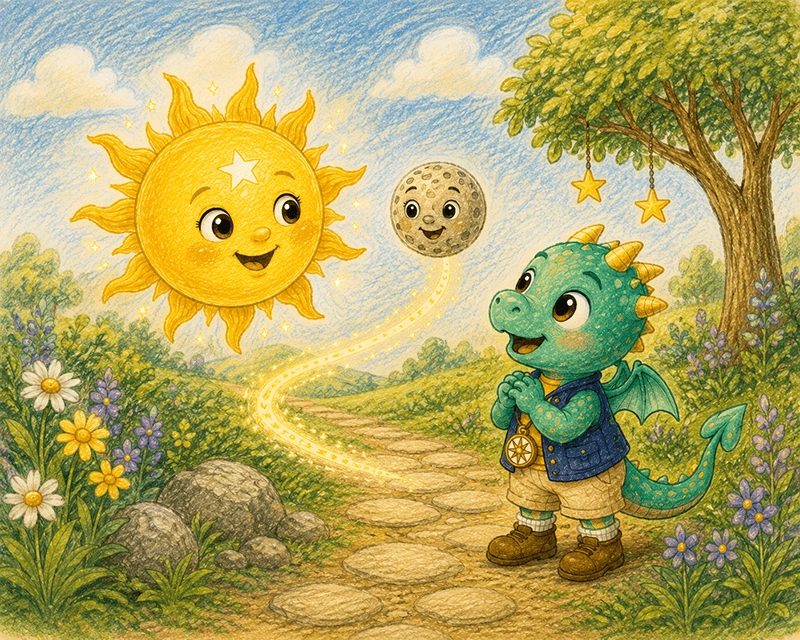
The Character Bible locked down the fox character with specific visual markers: a blue starry scarf and golden goggles.
Across eight generated illustrations, six came out virtually flawless on the very first try.
The remaining two required minor prompt re-runs to correct background element positioning.
That level of consistency is rare when working with standalone generative AI models.
Storybook Studio Pricing, OTOs, and Coupon Code Evaluation
Understanding the financial commitment is critical before integrating any new tool into your publishing stack.
You can check Storybook Studio pricing details directly to see current tier structures.
The base package has a total value estimated at $396 ($299 core value plus $97 bonus value).
However, during the introductory launch period, the regular single payment price is set at $17.
Readers can apply an active Storybook Studio coupon code at checkout to reduce the total even further.
Using discount coupon code STORI03 knocks $3 off immediately, bringing the final checkout cost down to just $14 one-time.
At $14 with no ongoing monthly subscription fees, the cost structure is exceptionally low compared to traditional freelance illustration costs.
Hiring a human illustrator for a 20-page children’s book typically costs anywhere from $300 to $1,500.
Storybook Studio pays for itself after producing just a fraction of your first book manuscript.
Honest Pros and Cons Breakdown
PROS
- Structured 4-Module System: Eliminates guesswork by guiding creators step-by-step from idea to finished cover.
- Strong Character Continuity: Integrated Character Bible frameworks keep character appearances uniform across pages.
- 20 Rendering Engine Variations: Bonus Module #4 grants vast flexibility across watercolor, papercut, and 3D styles.
- Full Commercial License: Sell your creations freely on KDP, Etsy, or personal web storefronts without royalty fees.
- Ultra-Affordable One-Time Cost: At $14 (with coupon STORI03), there are zero monthly recurring software charges.
- Risk-Free Guarantee: Protected by a straightforward 30-day money-back satisfaction guarantee.
CONS
- Requires External AI Platform: You must connect or use an external tool like ChatGPT or Leonardo AI to render final images.
- Occasional Prompt Reruns: 10-15% of complex multi-character scenes may still require an extra generation pass.
- Digital Asset Only: It provides prompt blueprints and layout structures rather than a standalone graphic design desktop application.
Who Is Storybook Studio Built For? (And Who Should Skip It?)
Storybook Studio delivers exceptional utility for specific types of creators, but it may not suit everyone.
This Framework Is Ideal For:
- KDP Publishers: Creators looking to rapidly expand their digital publishing catalog with illustrated children’s books or YA titles.
- Etsy Shop Owners: Digital sellers who want to package printable storybooks, educational kits, or custom digital assets.
- Beginner Authors: Individuals with great narrative concepts who lack formal graphic design or professional writing backgrounds.
- Educators & Parents: Teachers and family creators who want to build custom personalized stories for home or classroom learning.
Who Should Skip It:
- Traditional fine art illustrators who prefer drawing every frame manually by hand.
- Creators looking for an all-in-one standalone image editor that does not utilize external AI platform integrations.
Is Storybook Studio a Scam or a Legitimate Creation Framework?
In an online market flooded with low-quality AI software, consumers are rightfully cautious about deceptive claims.
I reviewed the system’s claims against real technical output.
Storybook Studio is completely legitimate.
It does not promise magic “one-click cash” or fully automated hands-off income.
Instead, it offers a well-engineered prompting framework that solves a real creative problem: maintaining visual character continuity across multi-page books.
Furthermore, the transaction is processed securely through WarriorPlus platform architecture.
Purchases include a clear 30-Day Satisfaction Guarantee, allowing buyers to test the system thoroughly without financial risk.
Final Verdict & Strategic Buying Advice for 2026
Storybook Studio simplifies one of the most frustrating barriers in independent publishing: visual character consistency.
By organizing prompt development into four connected modules, it enables creators to produce high-margin digital assets efficiently.
The addition of 20 visual rendering styles provides long-term flexibility across diverse publishing genres.
If you plan to publish illustrated books on KDP, sell digital printables on Etsy, or expand your creative agency services, this system is a high-value asset.
I recommend locking in the launch price today while the single-payment deal remains available.
Be sure to apply promo code STORI03 at checkout to secure the lowest possible price of $14.
If you have any specific questions about my testing process or layout workflows, feel free to reach out to me directly at admin@uprightreview.com.