
Disclosure: As an affiliate, I may earn a commission from qualifying purchases made through links in this post at no extra cost to you.
Lullabet vs Canva 2026: Which Tool Is Better For KDP Personalised Books?
Personalised children’s alphabet books represent one of the highest-margin publishing opportunities on Amazon KDP and Etsy today because buyers view custom name gifts as emotional keepsakes rather than cheap commodity printables.
So, What Exactly Is Lullabet?
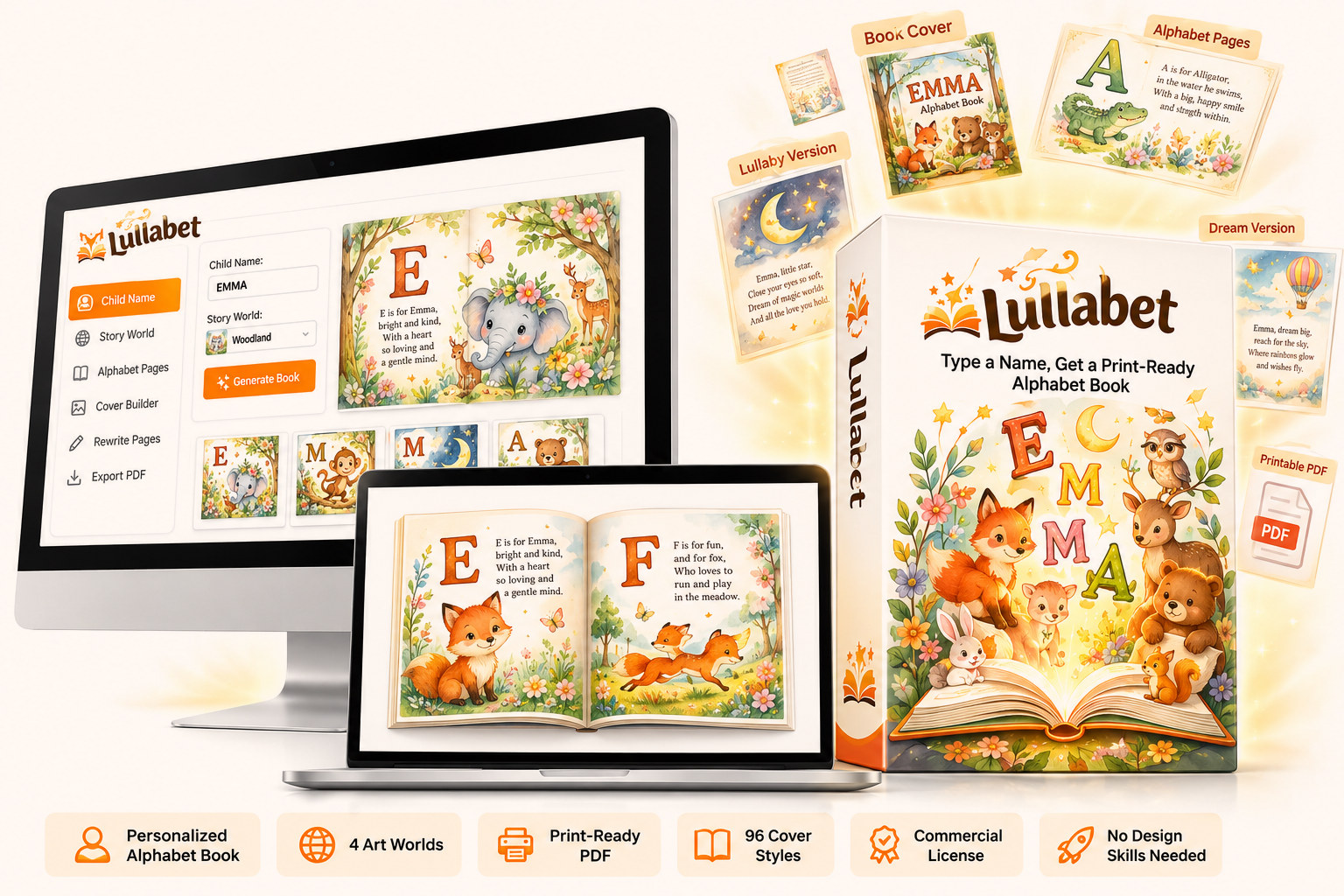
Lullabet is an automated browser studio designed to assemble print-ready 30-page personalized children’s alphabet books for KDP and Etsy without design software.
1. Type a child’s name into the generator up to 14 letters long.
2. Select one of four illustrated worlds and set your cover colors, layout, and title wording.
3. Download two perfectly calculated, 300 DPI full-bleed PDFs for print and digital listing in under sixty seconds.
The outcome is an exclusive, publication-ready personalized book ready for instant upload.
I hesitated before typing “Mia” into the box, expecting a complex dashboard full of canvas sliders and layout alignment warnings.
Instead, watching thirteen two-page spreads render instantly with perfect bleed lines left me completely stunned and excited to publish immediately.
Lullabet vs Canva 2026: The Architectural Comparison for KDP Creators
Choosing between Lullabet and Canva comes down to whether you want a dedicated assembly pipeline or a general graphic design canvas.
Canva is an extraordinary design tool for general graphics, social posts, and basic planners, but it requires manual asset positioning on every single page.
Lullabet operates as a dedicated book studio that takes a child’s name and programmatically renders full-bleed 300 DPI print files in under sixty seconds.
Publishers who test personalized name books in Canva usually give up after building three or four titles because adjusting text, bleed, and artwork across 30 pages per child destroys hourly earnings.
Lullabet automates the entire typesetting, verse matching, spine calculation, and image scaling workflow instantly.
The Economics of Personalised Books vs Low-Content Books
Low-content books like blank journals, simple habit trackers, and uninspired planners have reached a price floor on Amazon KDP.
Thousands of identical low-content titles compete heavily on price, forcing listings down below the ten-dollar threshold.
Personalised children’s name books operate on completely different commercial logic because the buyer is almost always purchasing a gift.
Grandparents, godparents, aunts, and family friends buying for a first birthday are looking for something memorable that will not embarrass them.
Because a book printed with a child’s name cannot be directly price-compared against generic alternatives, listings routinely retain prices between $32.00 and $43.00.
When you sell a personalised name book, there is no cheaper “Emma” book on page two to undercut your shop.
Furthermore, custom name books have virtually zero return rates because buyers cannot return a gift printed thirteen times with a child’s name.
Production Velocity: Lullabet Automation vs Canva Manual Editing
Building a personalized alphabet book in Canva requires manual work for every individual letter spread.
You must manually drag text boxes across 30 pages, swap 13 animal illustrations, re-align verse copy, check margin clearances, and export manually.
If you encounter a print layout error on KDP, you have to return to Canva, adjust page margins, fix spine overlap, and re-export.
When you repeat that process for ten different child names like Noah, Olivia, Liam, Sophia, and Lucas, Canva consumes an entire weekend.
Lullabet reduces the entire book generation process to typing a name and selecting a visual style world.
The studio software automatically walks the letters, extracts matching character art, maps rhymes, calculates spine width, and outputs production-ready PDFs in about sixty seconds.
If you want to evaluate deeper performance benchmarks, you can read the full Lullabet review 2026 on our site.
Technical KDP Rules: Spine Calculation, Full Bleed, and Page Requirements
Amazon KDP enforces strict mechanical standards that cause frequent file rejections for beginner publishers using Canva.
KDP paperbacks strictly require a minimum of 24 pages to print, meaning short child names like “Bo” or “Ty” cannot be published as 6-page or 10-page files.
Canva does not automatically calculate KDP spine widths or insert thematic padding pages for short names.
Lullabet solves this technical barrier by enforcing an exact 30-page structure for every book regardless of name length.
When a name is short, Lullabet seamlessly pads the remaining spreads with additional alphabet characters designed to read as part of a bedtime story.
Lullabet also exports 8.5 x 11 inch full-bleed PDF files at native 300 DPI with exact print margins so KDP never rejects the interior or wrap cover.
Artwork Cohesion: Fixed Illustrated Worlds vs Canva Asset Hunting
One major flaw with building children’s books in Canva is finding 26 animal illustrations that share the exact same artistic style.
Mixing a photorealistic bear with a cartoon cat and a watercolor rabbit makes the finished book look cheap and amateurish.
Generating artwork with standalone AI tools creates style drift, incorrect aspect ratios, and low-resolution images under printer requirements.
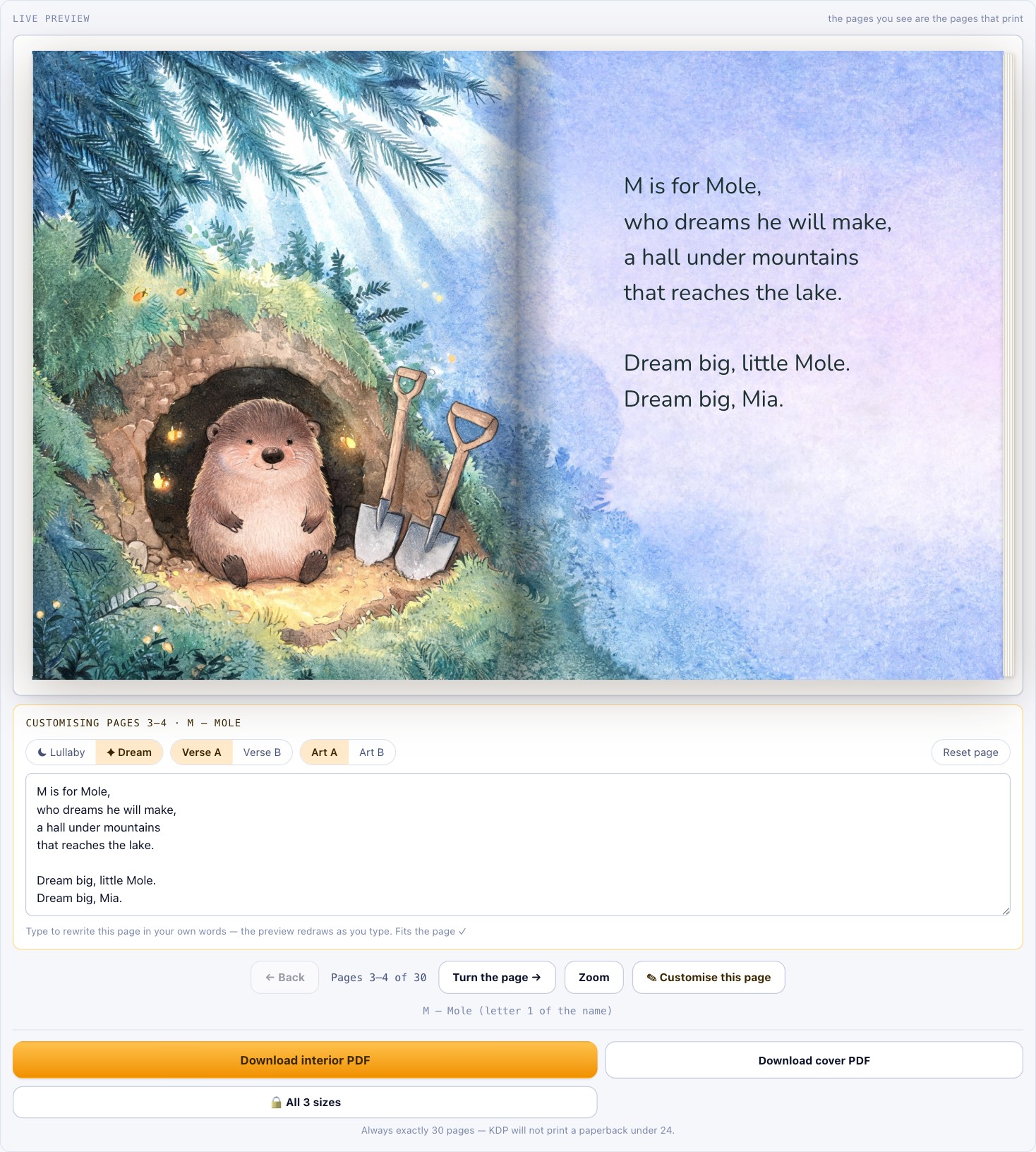
Lullabet ships with four cohesive, professional illustrated worlds called Moonlit Meadow, Watercolor, Wildflower, and Woodland.
Every world contains 52 character illustrations drawn to a unified aesthetic style across all letters of the alphabet.
The Woodland world introduces an entirely unique second alphabet cast, featuring Mole for M and Nightingale for N with 104 dedicated verses.
Because the illustrations were rendered once at full resolution and embedded into the studio, Lullabet requires no external AI API keys or credit fees.
Dual Multi-Channel Publishing: KDP Print vs Etsy Digital Downloads
Selling on both Amazon KDP and Etsy maximizes seller revenue, but both platforms enforce contradictory file size constraints.
Amazon KDP requires large, uncompressed 300 DPI print-ready PDFs that range from 28 MB to 81 MB for full-bleed artwork.
Etsy limits digital download listing attachments strictly to 20 MB per file, causing standard KDP print files to fail on upload.
In Canva, creating separate print-ready and web-optimized versions of a 30-page book requires manual page re-exports and quality compression.
Lullabet automatically generates two distinct PDF copies every single time you click export.
The first file is a heavy, print-resolution PDF built to exact KDP trim and spine specifications.
The second file is an Etsy-optimized 139 DPI digital copy sized between 2.3 MB and 10.1 MB that comfortably clears Etsy’s 20 MB cap.
The Duplication Trap: Account Seeding vs Canva Public Templates
When publishers buy generic PLR packs or share public Canva templates, dozens of sellers upload identical files to Amazon KDP simultaneously.
When multiple shop owners publish identical interior pages and cover designs, market saturation triggers severe price dropping.
Lullabet eliminates listing collisions through dynamic account seeding built directly into the software architecture.
Your unique account seed alters how padding letters, character pairings, cover options, and verse selections combine across pages.
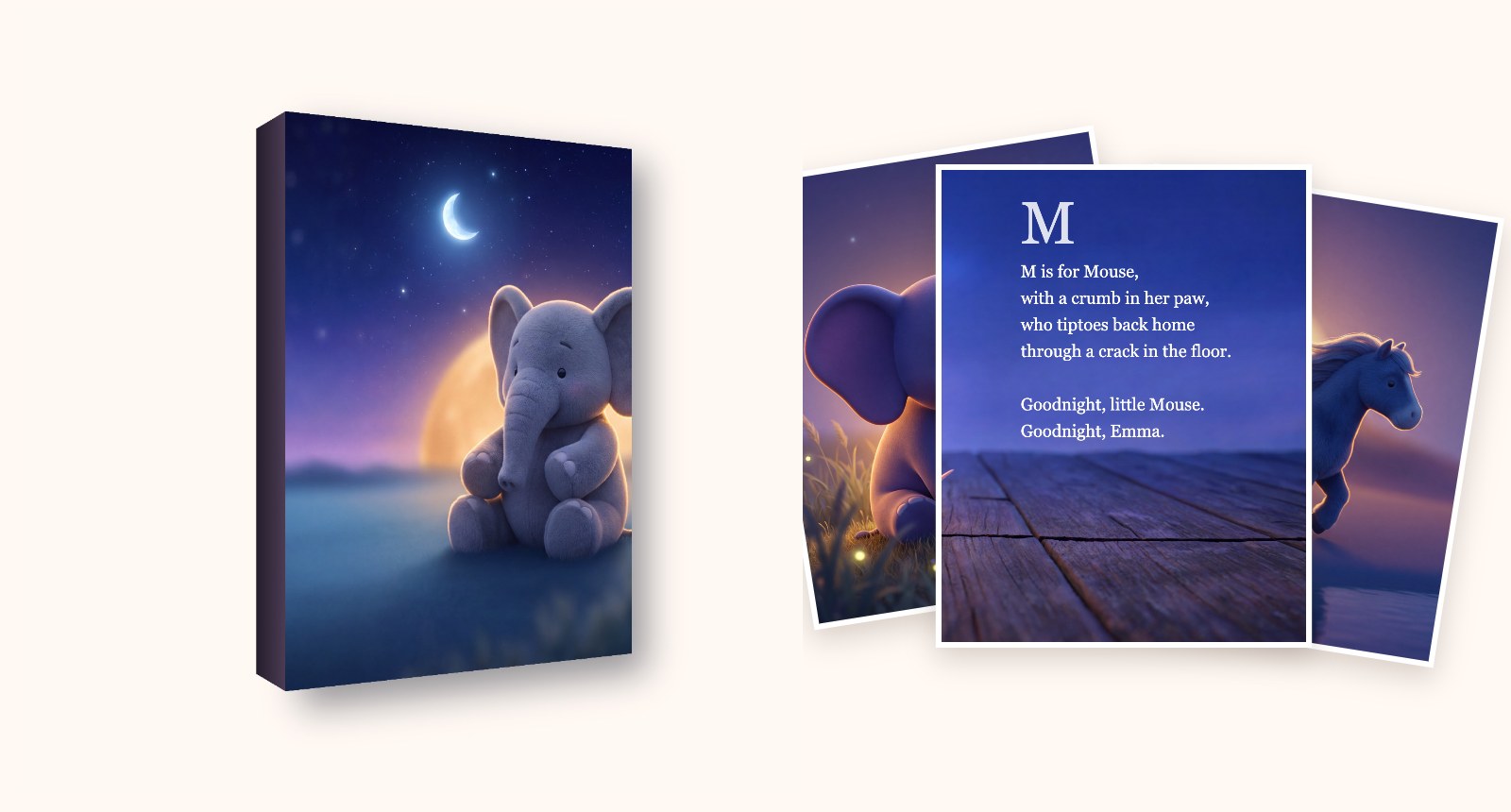
If two different Lullabet users generate a book for the name “Emma”, the system produces two distinct interior and cover files.
However, if you generate the name “Emma” twice within your own account, Lullabet returns the exact same file to ensure matching customer reprints.
Key Features of Lullabet Studio
- 208 Custom Verses in Two Tones: Every page features a toggle between a soft Lullaby rhyme and an inspiring Dream rhyme.
- 96 Cover Combinations: Customize cover colors, title wording options, back cover blurbs, and dedication lines.
- Special Acrostic Name Page: Closes with a custom poem spelled down the child’s name ending with “Your name was the map all along.”
- Page-Level Inline Editor: Rewrite any line of copy or text box directly inside the live preview pane.
- Full Punctuation Support: Hyphens and apostrophes are retained so names like Anne-Marie and O’Brien print correctly.
- Unlimited Commercial License: Sell unlimited physical or digital copies on KDP and Etsy with zero royalties.
For complete details regarding single-payment options, you can review Lullabet one time pricing on our dedicated page.
Feature Comparison Table: Lullabet vs Canva
| Feature / Capability | Lullabet Studio | Canva Pro |
|---|---|---|
Pros and Cons Analysis
Lullabet Pros
- Instant assembly turns name lists into finished KDP paperbacks in minutes.
- Requires zero design skills, vector editing, or graphic software experience.
- Account seeding guarantees unique files to prevent marketplace duplicate flags.
- One-time $9.95 fee with no recurring monthly subscriptions or hidden AI credits.
- Includes complete commercial rights to sell physical or digital books worldwide.
Lullabet Cons
- Supports English alphabet names only at the current version level.
- Fixed 8.5 x 11 inch trim size without custom square dimensions.
- Does not include automated traffic, marketing tools, or keyword ranking software.
Canva Pros
- Complete freedom to drag elements, alter canvas dimensions, and add custom fonts.
- Ideal for general printable products like wall art, planners, and social media banners.
- Massive library of general stock imagery and graphic design templates.
Canva Cons
- Extremely tedious for scaling personalized name books across dozens of titles.
- Risk of KDP print errors due to incorrect spine calculations and margin slips.
- Monthly subscription fees accumulate steadily over time.
Is Lullabet Legit or a Scam?
It is important to evaluate Lullabet objectively to determine whether it delivers on its promises or relies on aggressive marketing.
Lullabet is a completely legitimate browser studio developed by Leo Apps specifically for print-on-demand sellers.
The vendor openly discloses that the 52 artwork illustrations were generated using AI before being manually checked, cut to size, and packed into the software.
There are no live AI prompts running in the background when you generate books, meaning you never suffer API outages or extra credit charges.
Amazon requires publishers to declare AI-generated content during KDP submission via a simple checkbox, which thousands of active sellers do daily.
The landing page explicitly notes that Lullabet builds files but does not execute marketing, drive web traffic, or guarantee income.
You can test the entire studio using their free sandbox version, which builds complete books with watermarked preview pages before paying $9.95.
Furthermore, purchases are covered by a straightforward 30-day money-back guarantee managed directly via email at leo@leosterling.net.
Final Verdict: Which Tool Should You Choose?
If your goal is to design custom social media graphics, branding kits, or generic line-art planners, Canva remains an indispensable tool.
However, if you want to publish personalized children’s alphabet books on Amazon KDP and Etsy, Lullabet is vastly superior in every operational metric.
Trying to scale custom name books in Canva quickly leads to tedious layout repetition, spine formatting errors, and poor hourly earnings.
Lullabet automates the entire typesetting, verse selection, artwork pairing, full-bleed math, and dual-PDF exporting pipeline for $9.95 total.
For publishers seeking high-margin gift books without design headaches, Lullabet is the ultimate production tool in 2026.
If you have questions about this review or our testing workflow, feel free to contact me directly at admin@uprightreview.com.