
If you have tried using artificial intelligence to create children’s printables, you have likely run into a frustrating wall.
You type a prompt into ChatGPT expecting a clean alphabet worksheet, but you end up with a messy collage of twelve tiny unprintable boxes.
I tested this dedicated prompt architecture to see if it delivers publishable pages, and in this breakdown, I share my complete 2026 testing results.
So, What Exactly Is Kids Printable Prompt Creator?
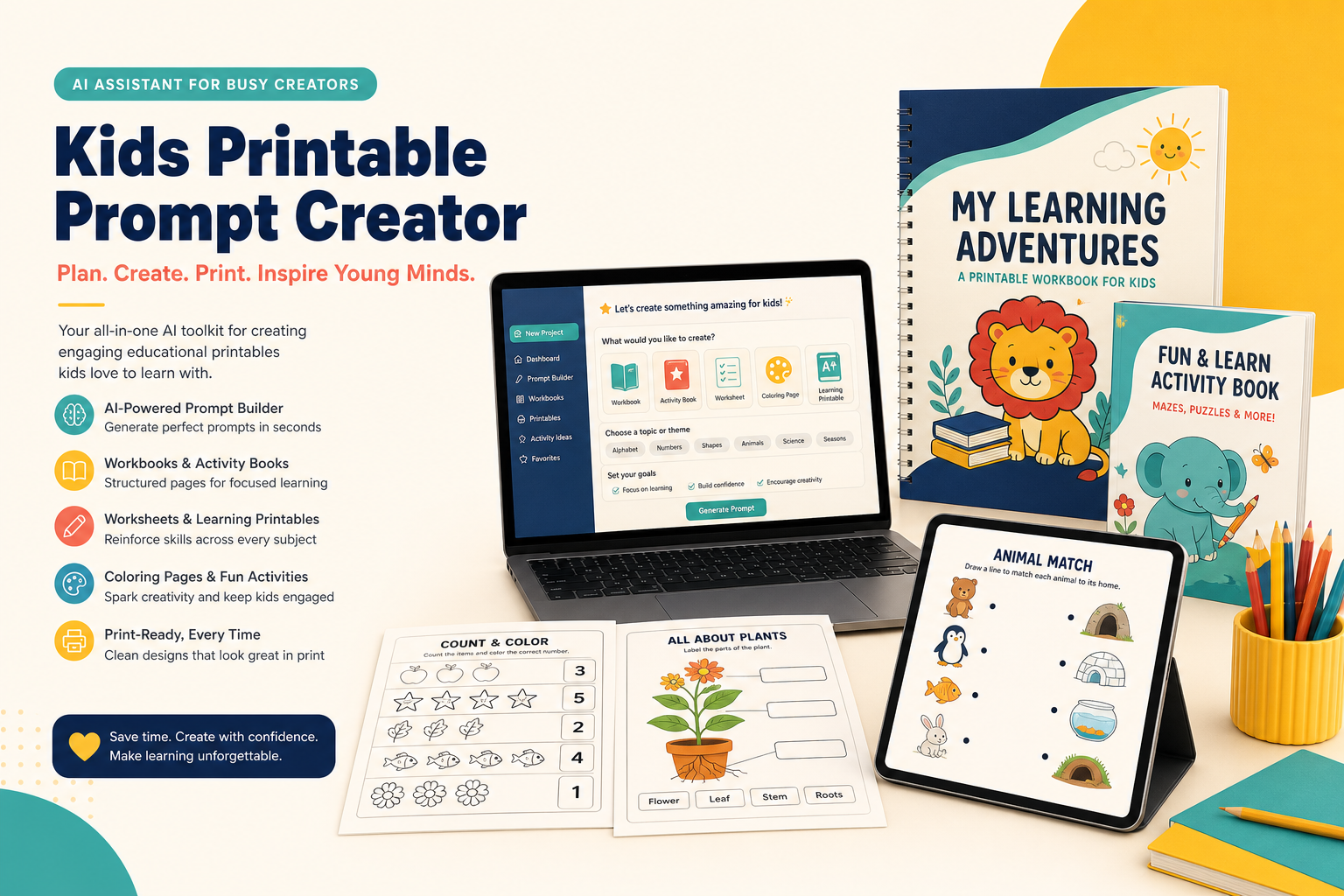
Kids Printable Prompt Creator is a specialized custom GPT system designed to translate broad educational ideas into page-by-page printable production plans.
It solves the issue of chaotic AI outputs by enforcing structured layout standards and consistent character guidelines before rendering artwork.
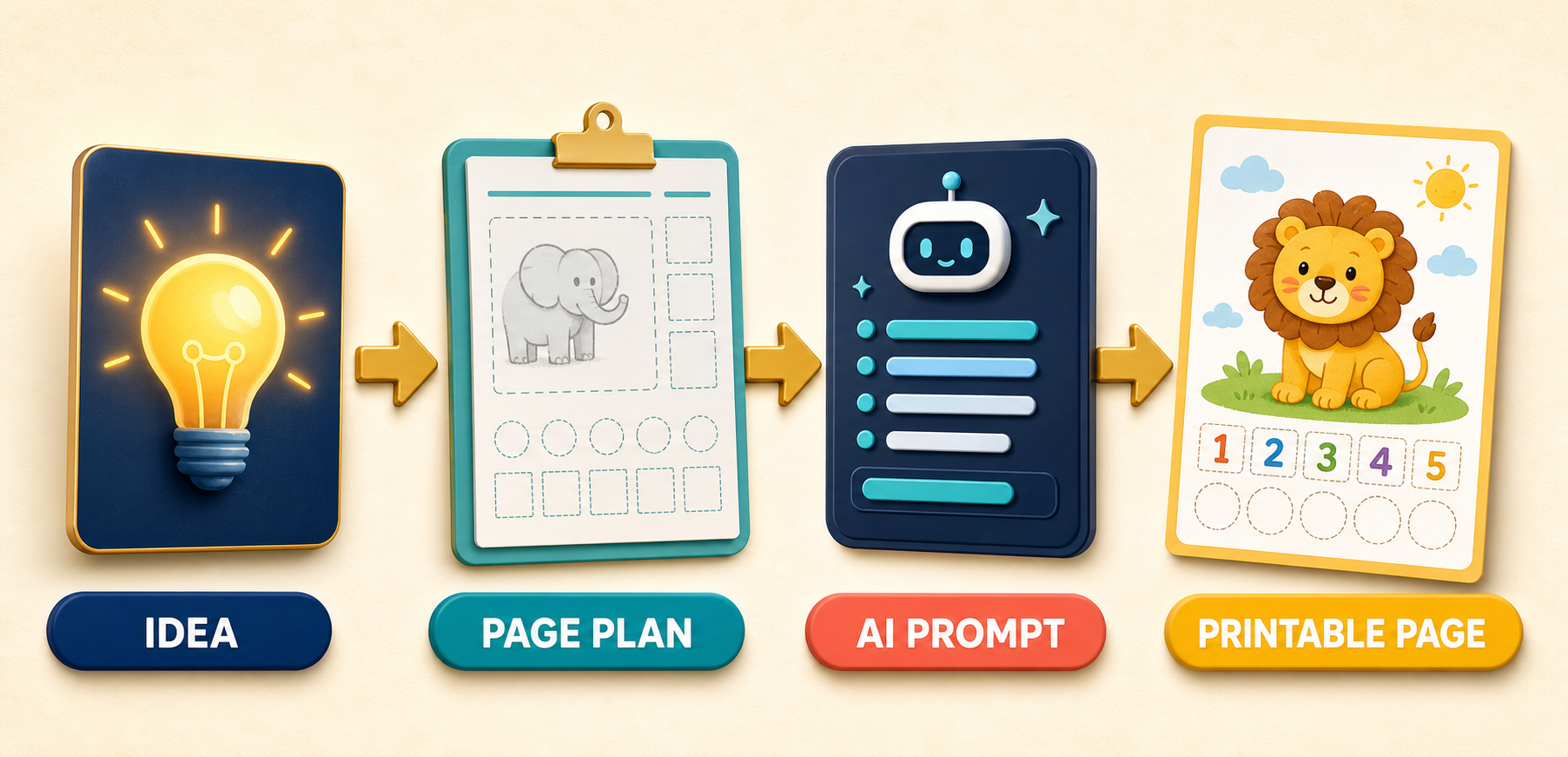
- Step 1: Input Concept — You state your target age group, topic, and theme in simple language.
- Step 2: Generate Page Plan — The system builds a structured blueprint defining the pedagogical goal and activity for every single page.
- Step 3: Receive Precise Prompts — You get exact image prompts tailored specifically for 300 DPI US Letter or A4 print dimensions.
- Step 4: Execute & Export — You paste each tailored prompt into your preferred AI generator to output clear printable pages.
I felt skeptical before testing this tool because generic chatbots usually struggle with line thickness and margins.
However, watching it turn a broad alphabet concept into twenty organized prompts surprised me.
It gave me genuine relief to see clean single-page outputs instead of chaotic image collages.
Kids Printable Prompt Creator Honest Review: Is It Legit or Just Another AI GPT Trend?
Let us be completely transparent right from the beginning.
The internet is flooded with basic custom GPTs that do nothing more than wrap standard ChatGPT instructions in fancy marketing sales pages.
When I first encountered this software, I questioned whether it was another low-quality wrapper tool.
I decided to purchase access, run real tests, and see if Kids Printable Prompt Creator is worth it for serious digital product creators.
What I uncovered was an engineered workflow that addresses the technical limitations of general-purpose image generation models.
Standard AI tools try to squeeze entire workbooks into single image generations.
That single habit causes broken tracing text, overcrowded borders, and useless collage boards.
This software fixes those mistakes by forcing strict instructional rules onto the prompt generation engine.
It acts as a creative art director, curriculum planner, and prompt engineer wrapped into one interface.
Rather than making wild visual guesses, it establishes fixed visual rules for line weights, character proportions, and margin space.
If you want to sell products on Etsy, Teachers Pay Teachers, or Gumroad, you need reliable production standards.
This platform delivers those standards by focusing on one controlled page generation at a time.
It eliminates random visual shifts between pages and provides a predictable development path.
Based on my direct testing, it is a legitimate productivity asset for parents, teachers, and digital product sellers.
Kids Printable Prompt Creator Walkthrough: The 4-Step Page-by-Page Workflow
Understanding how the product functions in real life is essential before adding it to your content workflow.
I evaluated the complete system across multiple project styles to see how it performs from start to finish.
The core philosophy hinges on dividing project design into four distinct phases.
This methodical division stops you from wasting image generation credits on poorly planned concepts.
Phase 1: Concept Development & Target Audience Alignment
You begin by offering a simple project sentence.
For instance, I submitted: “Create a 20-page number workbook for four-year-olds featuring cute woodland animals.”
The GPT immediately analyzes the developmental needs of four-year-old learners.
It determines appropriate line thickness, optimal object spacing, and suitable cognitive tasks.
Instead of jumping straight into graphics, it structures the skill progression logically.
It sets up recognition exercises before counting challenges, ensuring smooth learning progression.
Phase 2: Page Plan Blueprint Generation
Before writing image prompts, the tool displays a structured table outlining every single page.
Each row establishes seven specific production fields:
- Page Number: Establishes clear sequence order from front cover to final review.
- Page Title: Creates child-friendly headings such as “Count the Acorns with Barnaby Bear”.
- Activity Type: Defines whether the task is tracing, matching, coloring, or counting.
- Learning Objective: Identifies the exact skill being practiced on that page.
- Main Content: Details the exact count of objects and placement of answer boxes.
- Illustration Direction: Anchors the character pose, background clean space, and visual style.
- Difficulty Level: Tracks gentle difficulty increases throughout the workbook length.
Phase 3: Controlled One-Page Prompt Writing
Once you inspect and approve the structural table, the tool writes tailored prompts for each page.
It formats each prompt to target single-page rendering rather than multi-page grid mockups.
Every prompt explicitly dictates safe margin padding, vector line boldness, and white workspace allocation.
It supports standard print ratios for both US Letter (2550 x 3300 pixels at 300 DPI) and A4 (2481 x 3507 pixels at 300 DPI).
You can copy these prompts directly into Midjourney, ChatGPT Image, Leonardo AI, Ideogram, or Flux.
Phase 4: Revision and Style Synchronization
If page four presents too many decorative elements, you ask for a quick layout revision.
The tool updates the prompt instructions for page four without changing the rest of your project.
This isolated editing loop gives you complete art direction control over your entire book project.
Kids Printable Prompt Creator Output Quality Review & Real Results
To evaluate output consistency, I ran test projects across five core printable market categories.
I wanted to check if the generated prompts created practical, printer-friendly pages.
Here is what I observed across every tested category during my review.
1. Math Worksheets & Counting Activities
A common issue with raw AI images is inaccurate object counts.
When you request five apples, standard tools frequently render seven or eight distorted shapes.
This specialized prompt system reduces counting errors by prescribing explicit grid placements and isolation commands.
It instructs the render engine to place objects in separated rows with clean borders.
The result is clean counting worksheets with clear answer boxes for young children.
2. Alphabet & Language Literacy Practice
Handwriting practice demands large letter forms accompanied by guidelines.
Generic AI tools often generate garbled, unreadable lines.
The system writes prompts that separate letter practice areas from decorative illustrations.
It reserves uncluttered space for handwriting paths while positioning themed mascots in page corners.
This spatial separation produces functional alphabet resources ready for classroom use.
3. Fine Motor & Cutting Line Exercises
Fine motor sheets require thick guide lines and uncluttered cutting paths.
The prompts specify high-contrast lines and safe margins to prevent graphics from getting cut off.
Tracing paths for preschool learners rendered with uniform line thickness.
This attention to physical printing limits saves significant time during layout preparation.
4. Educational Science & Matching Resources
Science diagrams require distinct sections so children can label items easily.
During my test of a plant life cycle project, the prompt generated well-spaced diagram boxes.
The output left clear spaces for young students to write or paste matching labels.
The balanced layout kept the page readable without overwhelming young learners.
5. Themed Coloring Books & Story Pages
Coloring books require strong black vector outlines without unwanted grey shading.
The prompts enforce clean black-and-white vector instructions with open coloring spaces.
I generated thirty dinosaur coloring pages while maintaining the same cartoon line style throughout.
Feel free to compare Kids Printable Prompt Creator vs ChatGPT to see how standard prompting struggles with character consistency.
Kids Printable Prompt Creator Direct Review: Pros and Cons Dissected
No software is completely flawless, and every product carries trade-offs.
To provide an honest review, I compiled a clear pros and cons analysis based on real testing.
Here is what works exceptionally well, along with areas that require human attention.
The Advantages (What Makes It Stand Out)
- Structured Page Planning: Maps out entire 30-page projects before you spend credits rendering artwork.
- Visual Consistency: Preserves mascot appearance, line weight, and difficulty levels across pages.
- Print-Aware Dimensions: Formats prompts specifically for US Letter and A4 print ratios at 300 DPI.
- Zero Prompt Engineering Needed: Generates technical prompt language from simple plain English inputs.
- Multi-Platform Flexibility: Prompts work with ChatGPT, Midjourney, Leonardo AI, Ideogram, and Flux.
- One-Time Access Cost: No monthly subscription fee required to use the system.
The Disadvantages (What You Must Keep In Mind)
- Human Verification Required: You must still verify math solutions and letter spelling before selling pages.
- External Rendering Tool Needed: The custom GPT generates prompt code, so you need access to an image generator to render final artwork.
- Text Limitations: AI image tools can occasionally misspell complex instructions inside generated artwork.
Side-by-Side Comparison: Raw ChatGPT vs. Kids Printable Prompt Creator
| Feature Feature | Standard ChatGPT Prompting | Kids Printable Prompt Creator |
|---|---|---|
| Page Architecture | Generates random collage grids and multi-page previews | Enforces strict single-page composition per prompt |
| Character Consistency | Mascot changes appearance on every new generation | Locks mascot proportions, outfits, and style across pages |
| Margin & Workspace Care | Fills edges with graphics, making pages hard to print | Leaves safe margins and designated working space |
| Project Structure | No skill progression between generated pages | Generates structured page-by-page learning blueprints |
| Print Specifications | Requires manual aspect ratio and dimension tweaks | Includes 300 DPI US Letter or A4 commands automatically |
Pricing, Value Evaluation, and Is There A Catch?
Let us take an honest look at the total cost structure.
During the current launch period, the primary system is priced at a one-off fee of $17.00.
There are no recurring subscription fees hidden in the front-end checkout.
Compared to paying monthly for design software, this one-time cost offers strong overall value.
Considering the time required to format thirty custom prompts manually, saving three hours per book easily justifies the entry cost.
You gain lifetime access to the custom prompt architecture, allowing you to create unlimited personal or commercial projects.
The vendor backs your purchase with a risk-free 30-day money-back guarantee.
If the workflow fails to streamline your production speed, you can request a full refund.
This clear guarantee makes testing the platform straightforward for new creators.
Final Verdict & 2026 Results: Who Should Buy This Tool?
After thorough testing, my final assessment is clear.
Kids Printable Prompt Creator successfully solves the most frustrating problems in AI printable design.
It replaces random visual outputs with structured, page-by-page production control.
It will not eliminate the need to inspect spelling or verify basic math answers.
However, it handles layout planning, prompt preparation, visual formatting, and visual consistency exceptionally well.
I highly recommend this system for:
- Etsy & Gumroad Sellers: Digital product vendors looking to publish consistent, complete printables faster.
- Teachers & Educators: Classroom instructors wanting custom worksheets tailored to specific lesson plans.
- Homeschool Parents: Parents creating engaging learning materials focused on their child’s interests.
- Self-Publishing Authors: KDP creators building themed coloring books and activity books.
If you have questions about my test results, feel free to email me directly at admin@uprightreview.com.
If you want to streamline your creation process, click below to lock in your exclusive discount today.